01
One plan for every machine
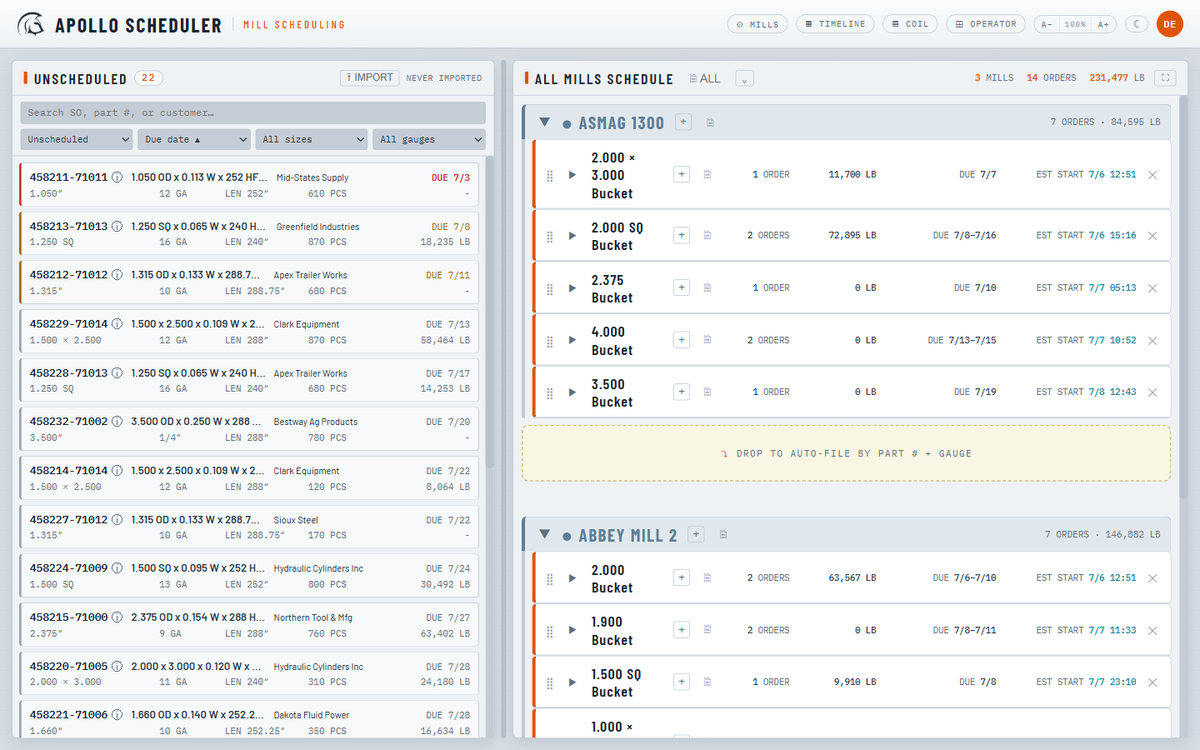
Drag work onto any machine, group it into runs and setups, and reorder it as priorities change. The all-machines board shows the whole floor, and every change updates every screen at once.
Production Scheduling
Apollo gives your production floor one schedule, so every machine, run, and shift is working from the same plan.
It replaces the whiteboard and the spreadsheet with one source of truth. Schedulers set the order, the floor sees what runs next, and the system keeps finish times, footage, and coil in sync as the plan changes.
See it running
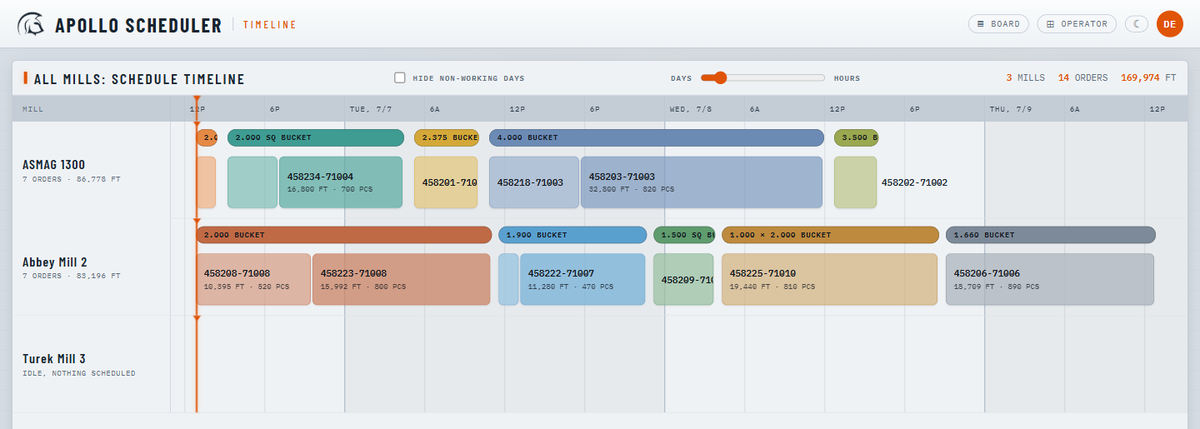
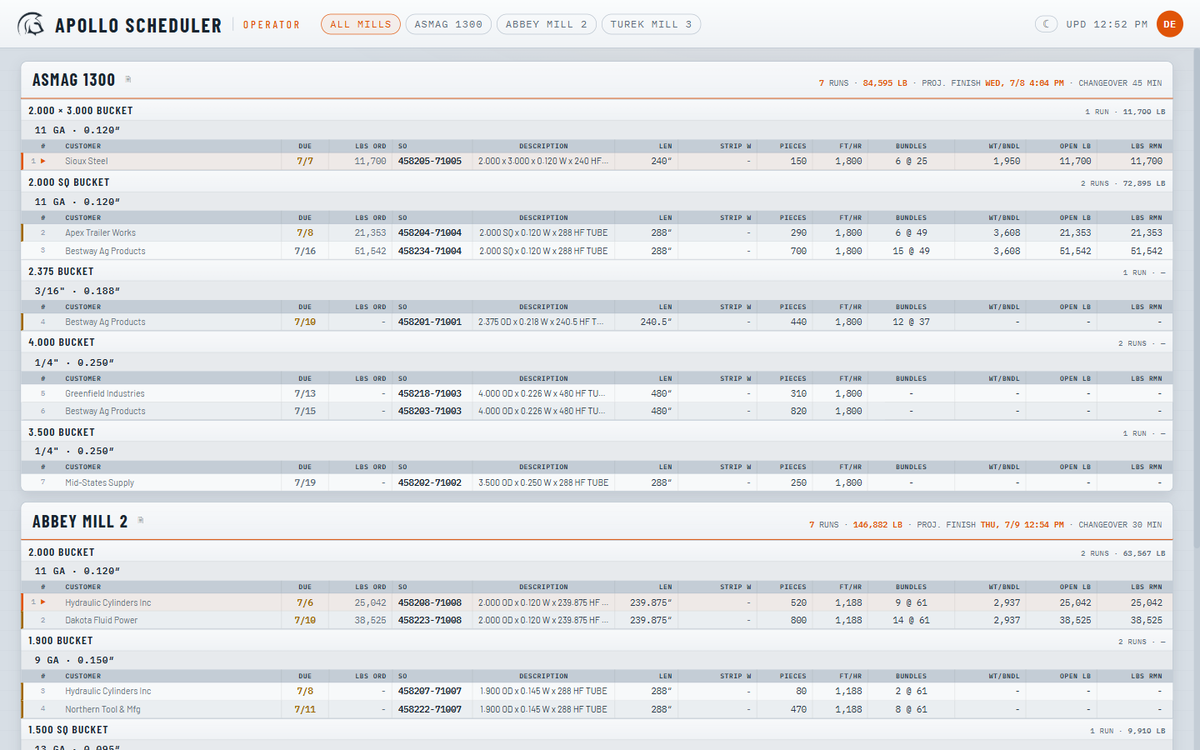
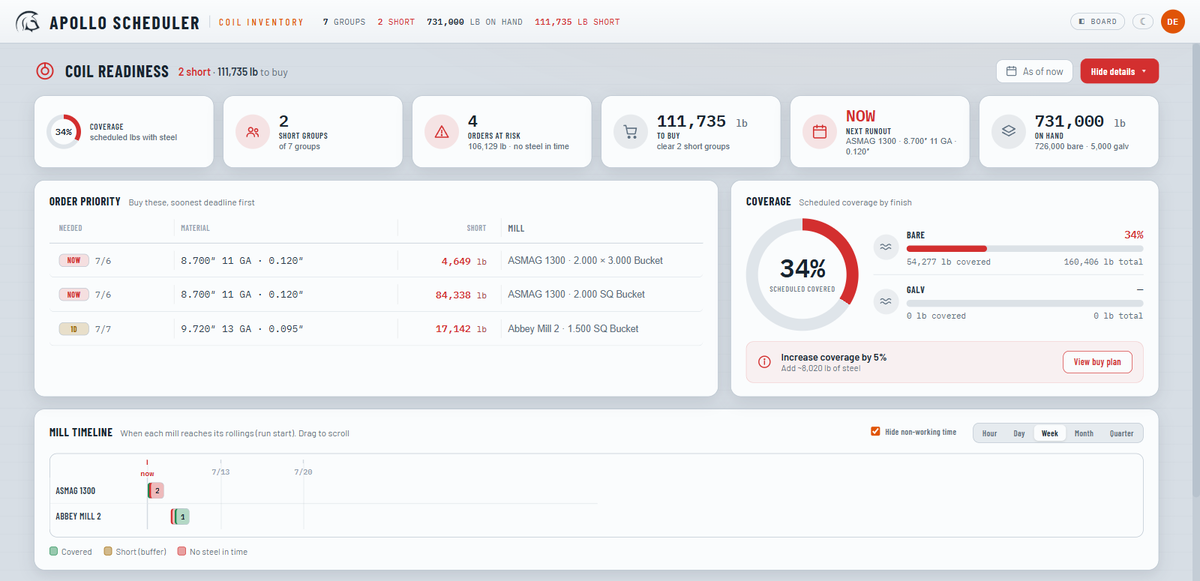
One plan, every angle. Schedulers work the board, the timeline shows how it lands, coil readiness flags shortages early, and the floor reads a clean operator sheet.
Why it matters
Every part of Apollo is built around how a shop floor runs its day.
Drag work onto any machine, group it into runs and setups, and reorder it as priorities change. The all-machines board shows the whole floor, and every change updates every screen at once.
Apollo calculates the start and finish for every order from run rates, changeovers, your operating hours, and your working days, so the dates you give customers reflect how the floor actually runs.
Every scheduled order is checked against the coil on hand to run it and the finished tube you've already made. Apollo flags a coil shortage before it reaches the floor, keeps galvanized separate from bare, and marks the orders that stock already covers, so you don't run what's sitting in the warehouse.
Give the floor, the office, and customers controlled, read-only access to the live schedule from anywhere through a no-login link, alongside operator and TV views and printable machine sheets.
The depth
From the sales order coming in to the sheet in the operator's hand, the work lives in one place.
Drag runs and setups across every machine and drop them exactly where they run.
Run rates, changeovers, and your calendar produce realistic start and finish times.
Demand matched to coil on hand, with shortages flagged before they stop a machine.
Read-only schedules that stay aligned and auto-size to a shop-floor TV.
A live timeline of every machine, with operating hours, non-working days, and the current time marked.
The daily ERP export drives the board, reading size, gauge, and length from the part number.
A per-machine PDF that mirrors the floor view, for crews that still run on paper.
Controlled, read-only access to the live schedule from anywhere by link, revocable any time.
The daily inventory feed shows what's already built, so orders covered by stock stand out before they run.
Operators log pounds run, and remaining work and finish times update with it.
Five roles, Read-only to Admin, enforced on the server, not just the screen.
A record of who changed what, in plain language, with sensitive values hidden.
The engine
An easy board to run, with a dependable engine keeping the numbers right.
Run time accrues across your working days and operating hours, with per-size run rates, machine changeovers, and gauge changes all included.
Coil is matched against the live crosswalk on every read, so a re-import takes effect immediately, with nothing stale to maintain.
Every change is broadcast over a live connection; screens refetch and redraw on their own.
Operators report pounds run, and remaining footage and finish times recalculate from actual production.
Read-only share links and five server-enforced roles control who sees the schedule and who can change it, with the links revocable any time.
A self-contained database runs the app on its own, ready to sync with your ERP rather than depend on it.
The value
Apollo keeps the whole floor on one plan, from the order coming in to the product going out.